Open by design
Inspect, script, override, and extend behavior without forking the whole app.
Now shipping OpenMUX 0.21.0
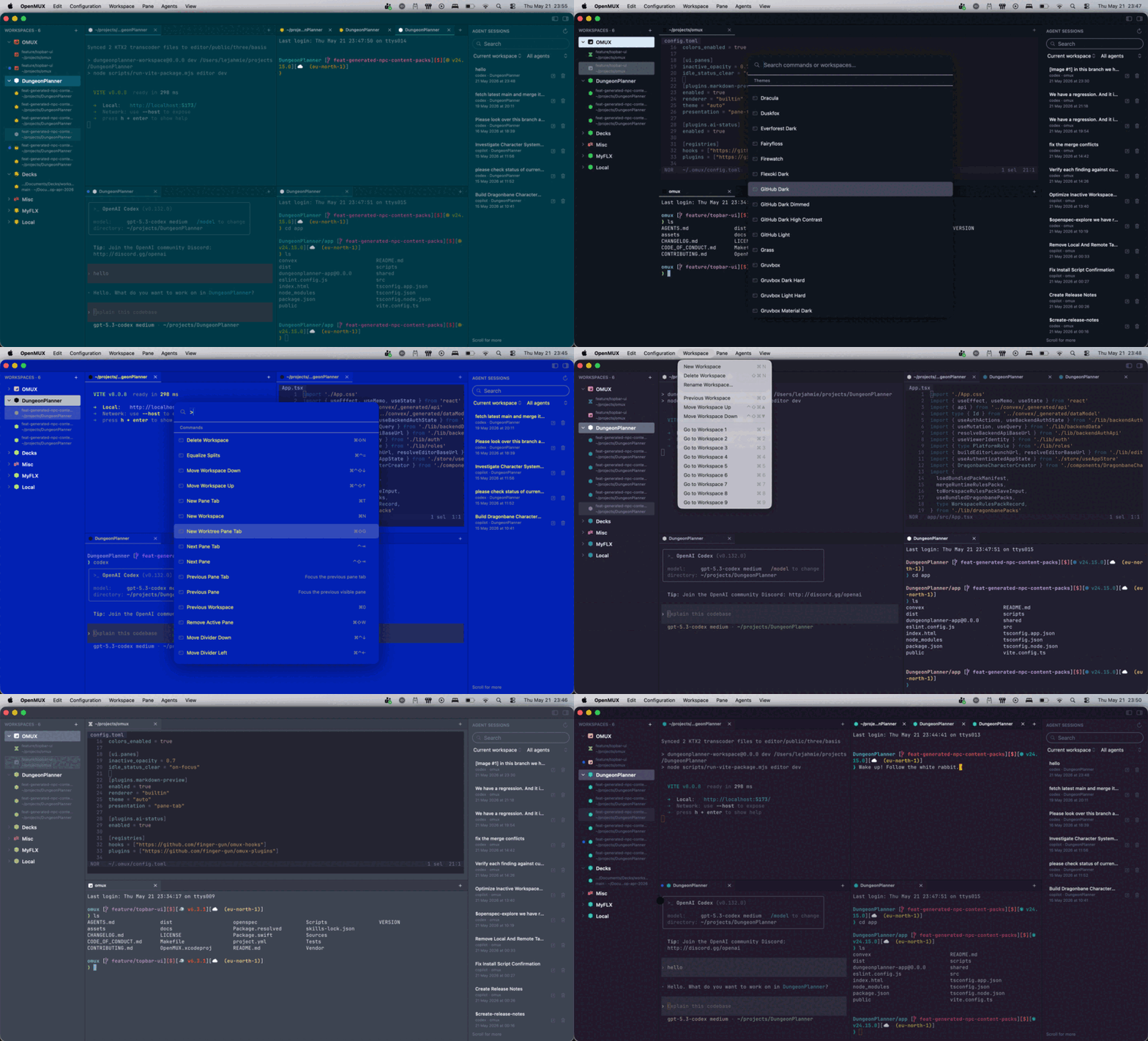
OpenMUX is a fast, native, flexible, and hackable terminal workspace for developers. Now with flexible left and right sidebars, Agent Sessions, Git worktrees, and workspace-focused tooling that stays open to your workflow.
Why OpenMUX exists
Modern developer terminals are drifting toward vendor-specific workflows, browser-like sidecars, and large opinionated bundles. OpenMUX takes the opposite bet: a small, composable native workspace that exposes the seams instead of hiding them.
Inspect, script, override, and extend behavior without forking the whole app.
The terminal is the product. AI, plugins, and automations connect through the same open surface.
Windows, focus, keyboard input, accessibility, and notifications should feel at home on macOS.
Tabs, panes, sessions, themes, and useful keybindings should work before you configure anything.
Workspace primitives
OpenMUX keeps shipping the workflow pieces that matter in daily use: local sessions, local agent workflows, automation seams, workspace polish, and native macOS ergonomics.
Project workspaces, drag-and-drop splits, pane-local tab stacks, worktree-aware tab creation, and a right sidebar that keeps Agent Sessions and Git worktrees close at hand.
Direct typing, paste, resize, command injection, drag-and-drop text, URLs, and files, isolated shell history, and bounded scrollback restore.
Cmd+P, Cmd+Shift+P, the omux CLI, release installer, and JSON-RPC control plane share the same command catalog for local-first automation.
Use omux agent for one-shot prompts or a local REPL, then index, search, preview, resume, and reopen coding-agent sessions while AI Status normalizes pane activity.
Bundled plugins like Markdown Preview and AI Status, registry-installed hooks and plugins, extension panes, richer event payloads, and config reload surfaces built for automation.
Focused-pane find, fuzzy-search themes, semantic icons, ISO layouts, right Option behavior, dead keys, compose input, and IME-sensitive flows.
Automation surface
OpenMUX keeps terminal rendering behind a narrow bridge while the workspace layer exposes sessions, panes, tabs, hooks, plugins, commands, pane status, local agent workflows, and richer workspace metadata.
The same CLI that opens workspaces, splits panes, and drives everyday terminal work also powers hooks, plugins, and automation, so the app stays understandable to humans and scriptable when you need it.
Positioning
OpenMUX keeps the terminal as the center of gravity: native panes, local automation, open plugin seams, and a control plane you can script. AI can plug into that surface, but it does not get to replace it.
Release momentum
The latest release focuses on day-to-day workspace fit: a new right sidebar for Agent Sessions and Git worktrees, flexible sidebar widgets, and richer pane tabs with better context actions.
~/.local/bin/omux
omux worktree, inline pane aliases, and local release install workflows
omux update installs

Install the latest release, browse the docs, and follow the project as OpenMUX keeps shipping local agent workflows, native workspace polish, and open automation surfaces.